If you find that a drive installed into your PC is not displaying the proper available capacity (such as, your PC has a 1TB primary SSD but shows only 500GB total available drive space), your drive may be incorrectly partitioned.
This is an easy fix:
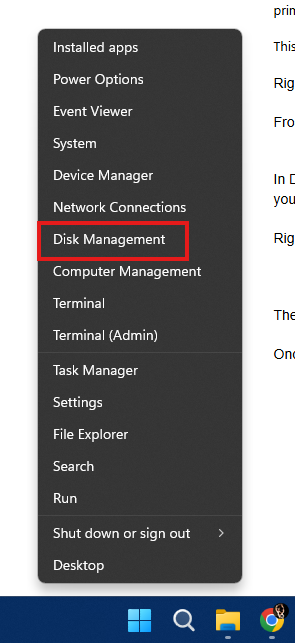
Right click the Start button in Windows.
From the popup menu, click Disk Management.
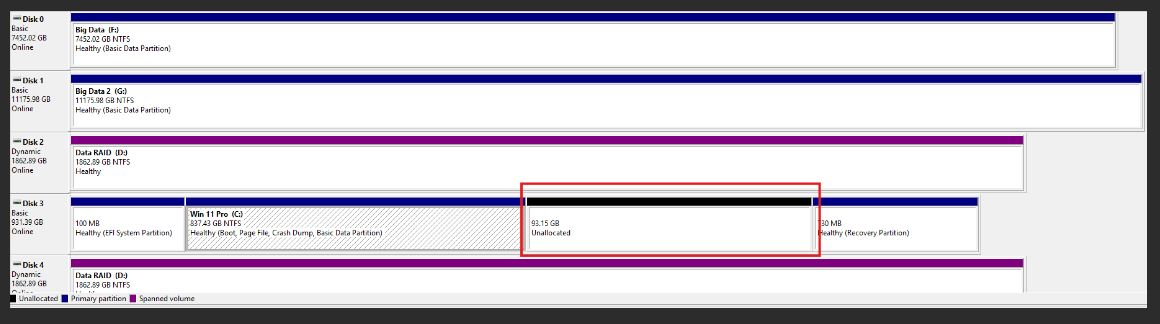
In Disk Management, locate your primary drive and inspect the graph shown of its available and unavailable space; you will likely see a grey section that is "Unallocated':
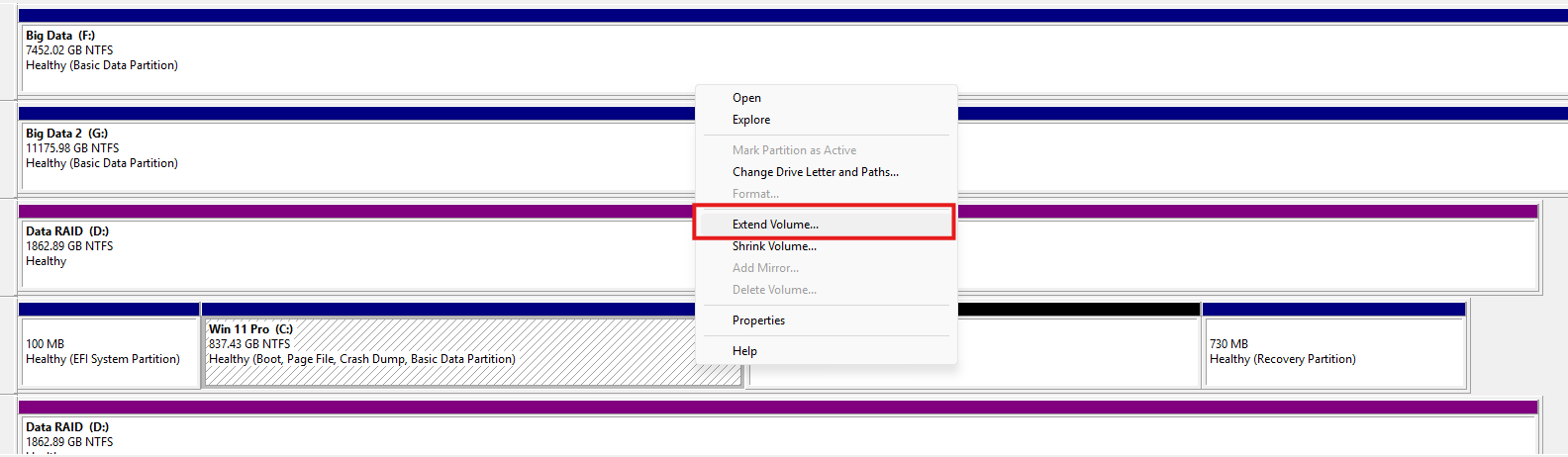
Right click the allocated space and select "Extend volume":
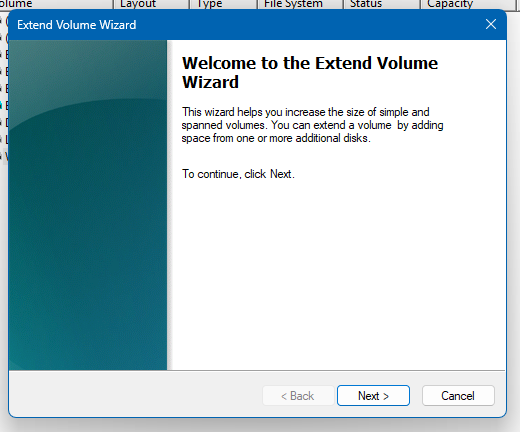
Then follow the menu's instructions to extend the drive's available space on the volume:
Once this is done, the primary drive should show the proper disk capacity.
Was this article helpful?
That’s Great!
Thank you for your feedback
Sorry! We couldn't be helpful
Thank you for your feedback
Feedback sent
We appreciate your effort and will try to fix the article