If you need to replace the power supply (PSU) for your Rok Box MC, the process is relatively straightforward.
If you are replacing the power supply with the same PSU make/model, you may utilize the cables that have already been run inside the PC case, replacing only the PSU.
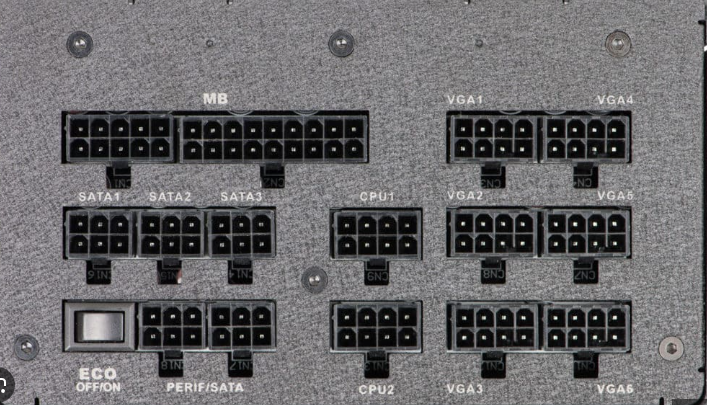
PSUs in these model PCs are fully modular, meaning that they have multiple cables that plug into the back of the PSU, allowing you to replace only the PSU unit (the black box) itself.
This article outlines how to replace the PSU using a same-for-same replacement.
If you are using a new PSU that is not the same model as that which was installed into your PC, we suggest replacing all cables using the cables included with your new PSU.
To replace the PSU using the same PSU make/model:
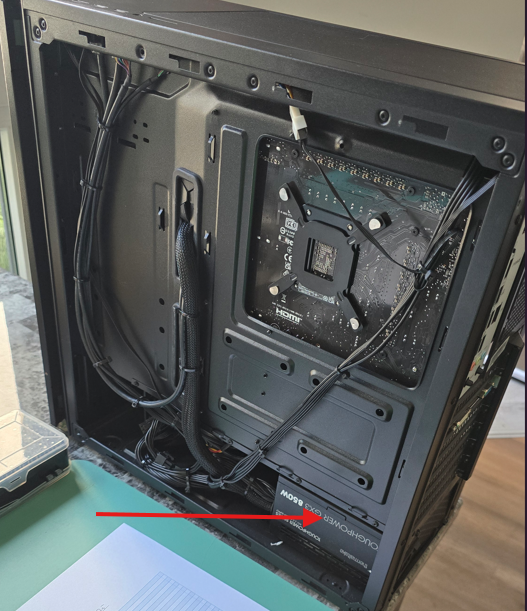
And at the top-right-hand corner of the rackmount model:
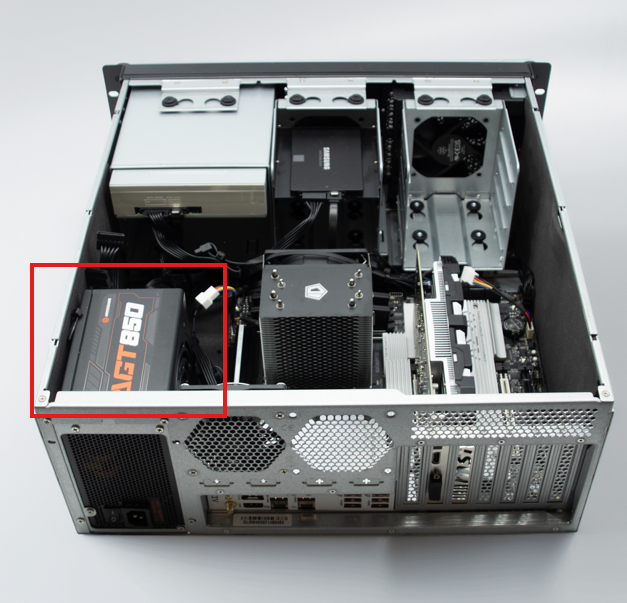
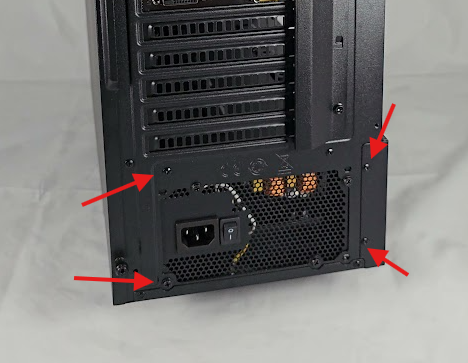
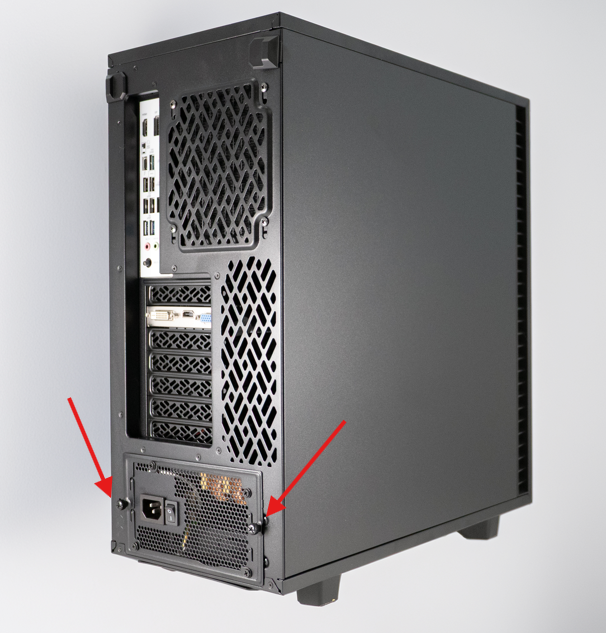
Or if your PC is in a Rok Box Mid-Tower case, loosen the two thumbscrews that hold the PSU to the PC case:
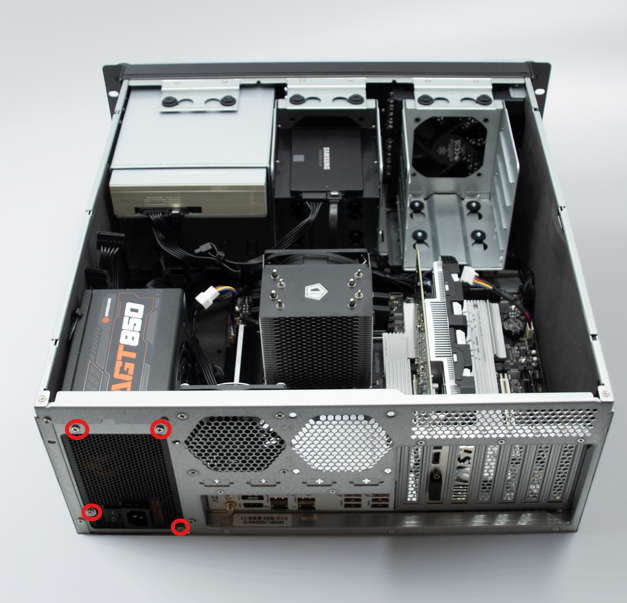
In a Rok Box Rackmount configuration, remove the four screws that hold the PSU to the PC case:
Disconnect Cables
Reinstall the PSU
Once completed, power the PC on.
If you have issues with this process, please contact support.
Was this article helpful?
That’s Great!
Thank you for your feedback
Sorry! We couldn't be helpful
Thank you for your feedback
Feedback sent
We appreciate your effort and will try to fix the article